10% OFF
Pick up from our office
1-3 business days
2-5 business days
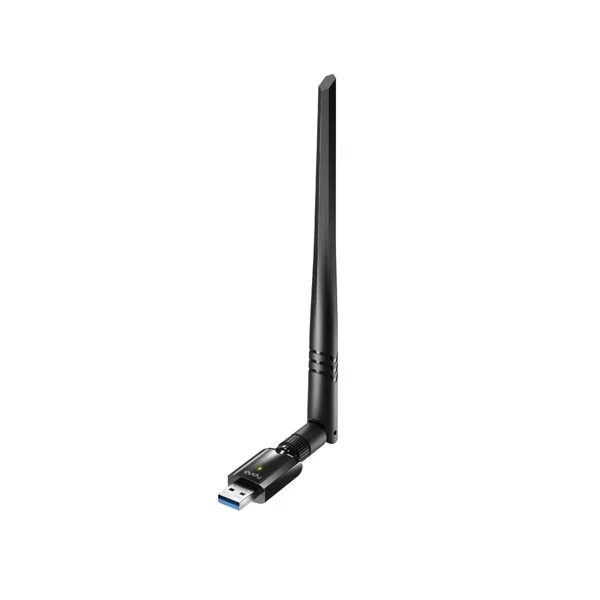
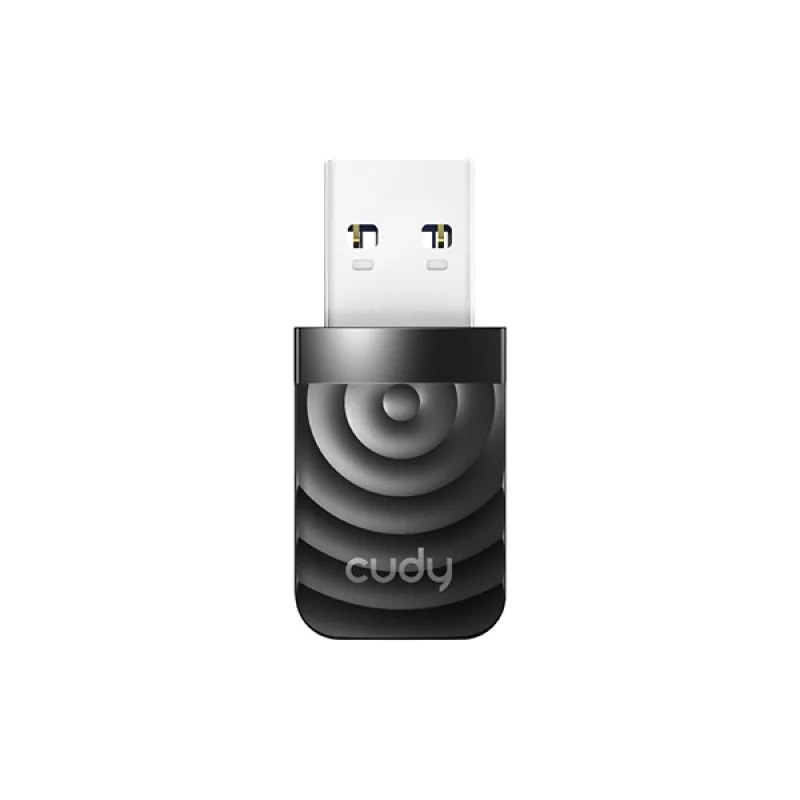
Upgrade your desktop or laptop to blazing-fast Wi-Fi 5 (802.11ac) speeds with the Cudy WU1400 Dual Band 1300mbps USB Wi-Fi Adapter. Designed for superior performance and reliability, this compact yet powerful adapter brings a new level of wireless connectivity to your home or office in Bangladesh. Say goodbye to frustrating lag and buffering, and experience seamless online gaming, crystal-clear video streaming, and rapid downloads.
The Cudy WU1400 combines a maximum theoretical speed of 1300Mbps (867Mbps on 5GHz and 400Mbps on 2.4GHz) with the efficiency of USB 3.0, ensuring that your connection bottlenecks are eliminated. Featuring a high-gain external antenna, it extends your Wi-Fi range and provides a more stable connection even in areas with weak signals. Get the original Cudy WU1400 Dual Band 1300mbps USB Wi-Fi Adapter at the best price in Bangladesh, available now for only ৳1450.00 BDT.
The Cudy WU1400 is not just another Wi-Fi adapter; it's a gateway to a faster, more reliable internet experience. With support for the latest 802.11ac standard, it delivers speeds up to 3 times faster than previous 802.11n adapters. The "1300mbps" rating refers to the combined maximum theoretical speed across both frequency bands:
Paired with a high-speed USB 3.0 interface, the Cudy WU1400 ensures that the adapter itself doesn't become a bottleneck, allowing you to fully utilize the high wireless speeds available from your router. This makes it an essential computer accessory for anyone looking to maximize their internet performance in Bangladesh.
The Cudy WU1400 is packed with features designed to deliver an exceptional wireless experience:
Leveraging the 802.11ac Wi-Fi standard, the WU1400 provides significantly higher throughput and efficiency compared to older 802.11n adapters. This means faster downloads, smoother streaming, and reduced latency for all your online activities.
With support for both 2.4GHz and 5GHz bands, the Cudy WU1400 offers flexibility. You can switch between bands depending on your needs: use 2.4GHz for broader coverage and compatibility with older devices, or switch to 5GHz for a clearer, faster connection when interference is high or speed is critical.
Equipped with a powerful 5dBi detachable omni-directional antenna, the WU1400 significantly boosts signal reception and transmission. This translates to extended Wi-Fi coverage, stronger signals, and more reliable connections, especially in multi-story buildings or larger spaces common in Bangladesh.
The USB 3.0 interface operates at speeds up to 5Gbps, which is 10 times faster than USB 2.0. This ensures that the high wireless speeds of 802.11ac are not limited by the USB port, allowing the adapter to perform at its full potential.
The Cudy WU1400 supports a wide range of operating systems, making it a versatile choice for almost any user. It's compatible with Windows (11/10/8.1/8/7), macOS (10.9-10.15), and various Linux distributions (Kernel 2.6.24 ~ 4.15), ensuring easy integration with your existing setup.
Despite its powerful capabilities, the WU1400 maintains a compact and portable design. Its small form factor, combined with the foldable antenna, makes it easy to carry in your laptop bag, allowing you to enjoy high-speed Wi-Fi wherever you go in Bangladesh.
Here’s a comprehensive look at the technical specifications of the Cudy WU1400:
| Cudy WU1400 Dual Band 1300mbps USB Wi-Fi Adapter Specifications | |
|---|---|
| Product Name | Cudy WU1400 Dual Band 1300mbps USB Wi-Fi Adapter |
| Model | WU1400 |
| Interface | USB 3.0 (Backward compatible with USB 2.0) |
| Wireless Standards | IEEE 802.11ac/n/g/b/a |
| Wireless Speed | Up to 867Mbps on 5GHz (802.11ac) Up to 400Mbps on 2.4GHz (802.11n) |
| Combined Speed | AC1300 (1300Mbps) |
| Frequency | 2.4GHz & 5GHz (Dual Band) |
| Antenna Type | 1 x 5dBi High-Gain Detachable Omni-directional Antenna |
| Antenna Connector | RP-SMA |
| Chipset | Realtek RTL8812BU (or similar high-performance chipset) |
| Wireless Security | WPA-PSK/WPA2-PSK, WPA/WPA2, WEP (64/128-bit) |
| Modulation Technology | DBPSK, DQPSK, CCK, OFDM, 16-QAM, 64-QAM, 256-QAM |
| Operating Modes | Ad-Hoc / Infrastructure Mode |
| LED Indicator | 1 x Status LED (Blue) |
| Supported OS | Windows 11/10/8.1/8/7, macOS 10.9-10.15, Linux (Kernel 2.6.24 ~ 4.15) |
| Dimensions (W x D x H) | 45 x 19 x 10 mm (Adapter body, excluding antenna) Antenna Length: Approx. 150 mm |
| Weight | Approx. 20g (excluding antenna) |
| Operating Temperature | 0°C to 40°C (32°F to 104°F) |
| Storage Temperature | -40°C to 70°C (-40°F to 158°F) |
| Operating Humidity | 10% to 90% non-condensing |
| Storage Humidity | 5% to 90% non-condensing |
| Certifications | CE, FCC, RoHS |
| Warranty | Usually 1 Year Manufacturer Warranty (Check with retailer for specifics) |
For users in Bangladesh, the Cudy WU1400 offers several compelling advantages:
Setting up your Cudy WU1400 Dual Band 1300mbps USB Wi-Fi Adapter is straightforward:
The Cudy WU1400 Dual Band 1300mbps USB Wi-Fi Adapter price in Bangladesh is highly competitive at just ৳1450.00 BDT. You can purchase this essential networking device from reputable online stores like BDSHOP.COM, which offers genuine products, excellent customer service, and speedy deliveries across Bangladesh.
Whether you're in Dhaka, Chittagong, Sylhet, or any other part of the country, you can easily get your hands on the Cudy WU1400. Look for options with cash on delivery and easy return policies to ensure a hassle-free shopping experience. For those searching for "Cudy WU1400 near me," check leading electronics retailers and computer stores in your local area or simply order online for nationwide delivery.
A: The Cudy WU1400 offers a combined theoretical maximum speed of 1300Mbps (867Mbps on 5GHz and 400Mbps on 2.4GHz).
A: Yes, it is fully backward compatible with older Wi-Fi standards including 802.11a/b/g/n, ensuring it works with virtually any router.
A: Yes, the Cudy WU1400 is compatible with Windows 11, as well as Windows 10, 8.1, 8, and 7.
A: For Windows 10/11, drivers are often installed automatically. For other operating systems or if automatic installation fails, drivers can be installed from the included mini-CD or downloaded from the official Cudy website.
A: Absolutely! The 5GHz band with its 867Mbps speed and lower interference is ideal for online gaming, providing a smooth and responsive experience.
We typically reply within a few minutes